Reporting Arrival in the Ankota Caregiver App
Reporting Arrival
To report arrival, follow instructions below:
-
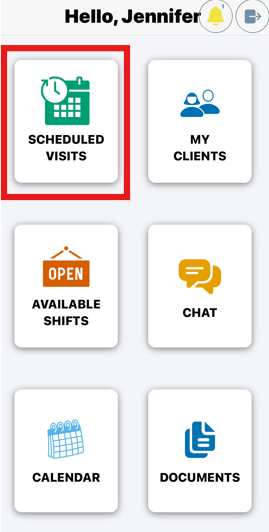
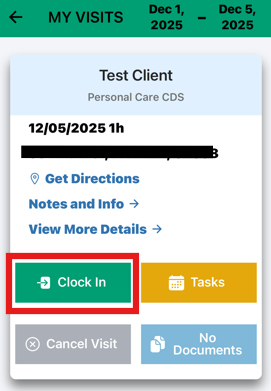
Go to My Visits (also known as Scheduled Visits).
Click theClock In button.
-
Note: Depending on the administrator’s settings, the remaining authorization may also display on this page
If visits show in red, this means they are On Hold Visits. You will need to complete those before reporting arrival.
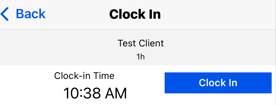
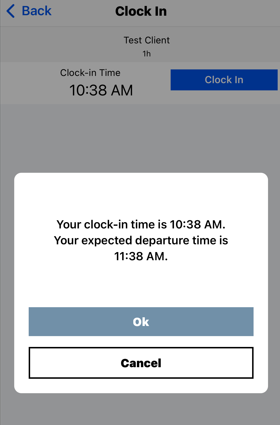
After clicking Report Arrival, you will be prompted to confirm the time.
A confirmation message will then appear, showing your arrival and expected departure time.
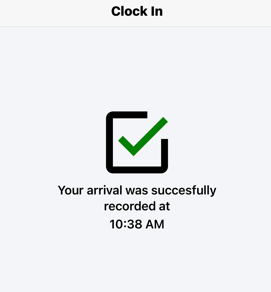
Once you accept, a green check mark will confirm that your arrival has been successfully recorded.
Note: On this screen you may get an Offline Warning. Please review how to sync Offline visits for more.
Adding a Break
Breaks can only be added if this feature has been enabled by the administrator.
If available, you will see the option to record a break during your visit.
After clock in you can add a break by doing the following
Go to My Visits
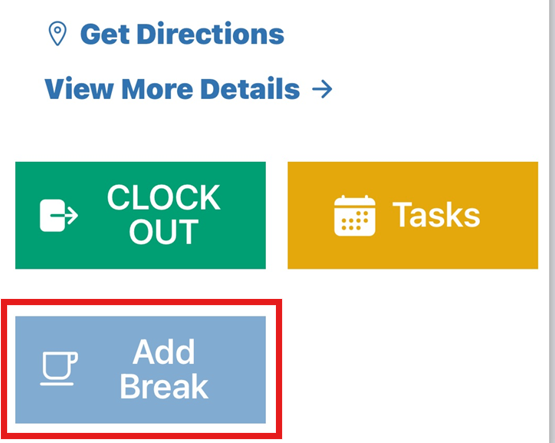
Select Add Break button
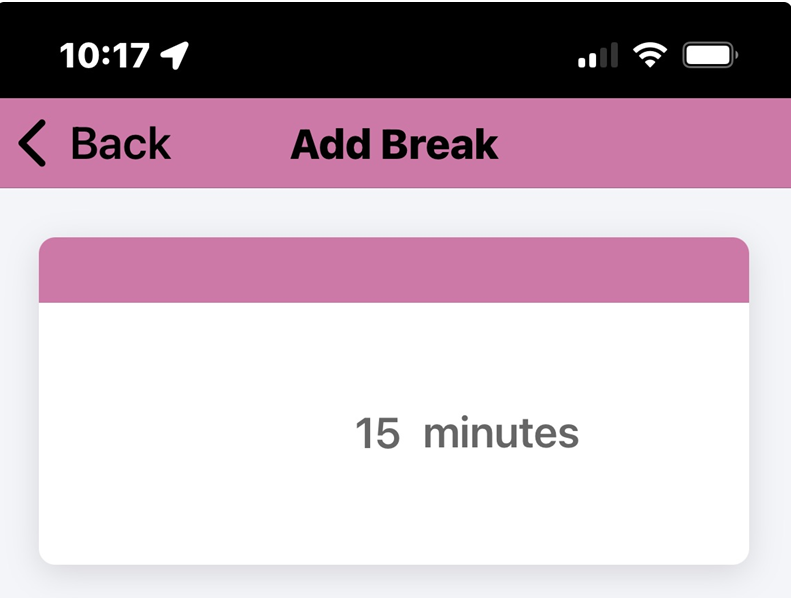
Enter the number of minutes used and Save