
No Show Reporting (After Clock-In)
No Show Reporting
You can report a no show by a client in the mobile app. First, you must clock in to the visit. Only then will the No Show button appear. Click the No Show button, then provide an explanation in the comments box, and finally save.
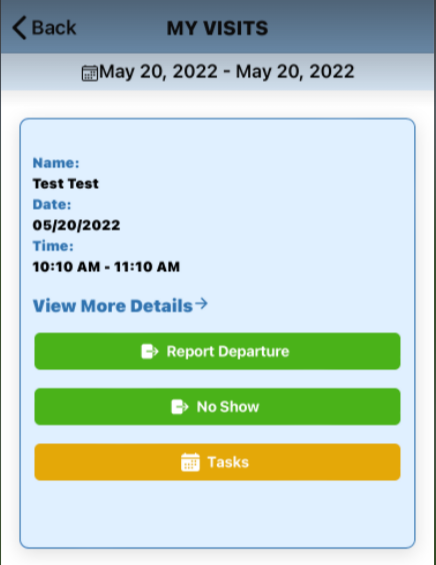
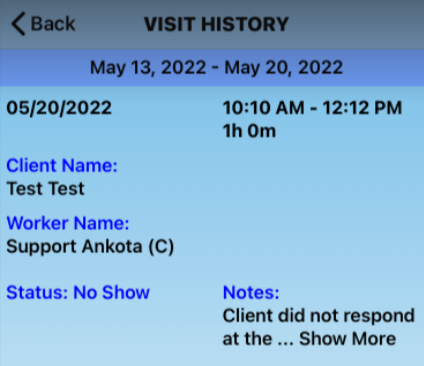
It will automatically end the visit and move it to Visit History. This is where the visit status will show No Show.
If you have back-to-back visits and the first visit is reported as a No Show, the system will automatically report No Show for both visits.